1 · Snap
The app opens on the camera with a guide frame. Shoot, and five checks run instantly: blur, glare, cut-off edges, unreadable print, missing digits. Each offers Retake or Use anyway. They never block.
TaskLive SnapBill · Expense bills, on your phone
Photograph a bill at the card machine. SnapBill reads the amount, date, merchant and tax details on the phone itself, files it into its month, and hands accounts one ZIP with every image and an Excel summary. No account. No server. Nothing uploaded.
Company-card bills pile up in wallets, glove boxes and WhatsApp threads. Accounts asks for them at month-end or year-end, and the scramble begins: which restaurant, what date, how much, where is the photo. SnapBill files the bill in the five seconds you are already standing there.
The app opens on the camera with a guide frame. Shoot, and five checks run instantly: blur, glare, cut-off edges, unreadable print, missing digits. Each offers Retake or Use anyway. They never block.
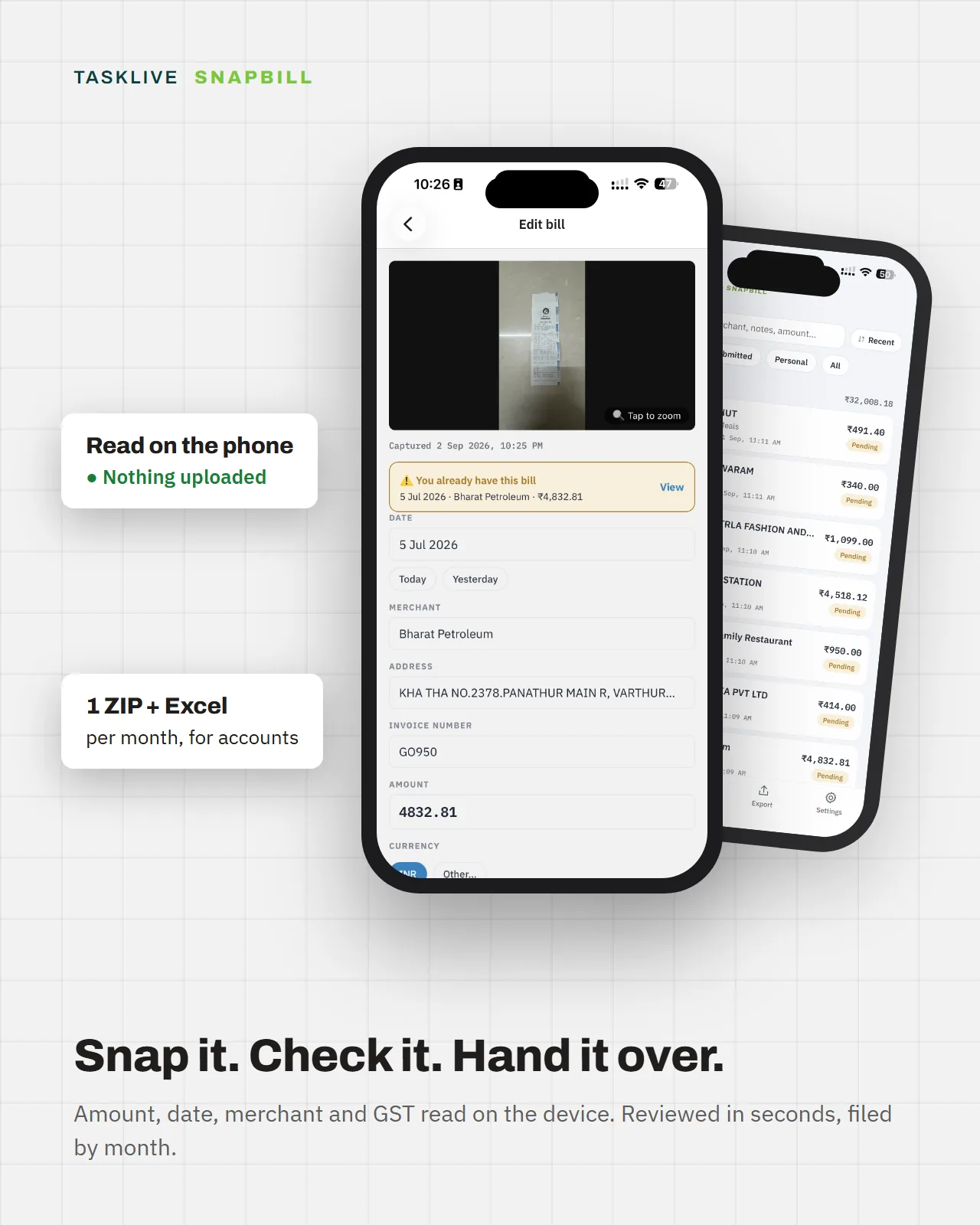
Amount, date, merchant, invoice number and the GST or VAT breakup come off the bill itself. Only what the app is unsure of is highlighted amber for your eyes. Fix it or save it as read.
Bills drop into their month with a running subtotal, breakdowns by category and payment type, and a Pending or Submitted chip per row. Shoot the same bill twice and it tells you when you first did.
Pick a month, get a ZIP: every bill image plus an Excel summary accounts can open straight away. Share it by mail, chat or drive. Then mark the bills Submitted, as a separate, deliberate tap.
Amount paid, date, merchant and address, invoice number, GSTIN, and the CGST / SGST / IGST breakup on Indian receipts. Overseas bills get their own currency, VAT and TRN.
Metre-long supermarket strips are read section by section. Hotel folios join into one bill with “+ Add page”. Sideways photos straighten themselves.
Import the PDF invoice that came by mail or WhatsApp. It is read the same way as a photo and kept as the original file.
Categories and payment types are yours to edit. Correct a merchant’s category once and the next bill from them is filed there.
Currency is read off the bill. Set a home currency, enter the card rate by hand, and totals show what was converted, and say plainly what was not.
SnapBill_2026-08-01_2026-08-31.zip holds the images, grouped by payment type, an Excel summary
with a totals sheet, and a manifest that lets anyone verify nothing was altered.
There is nothing to log into, because there is nothing on the other end.
Open the Excel summary in the tool you already use. Every row names its image file. Bills are grouped into one folder per payment type, so company-card spend goes to one ledger and personal spend stays behind. The manifest carries a hash for every image, so a package can be verified end to end.